 Aangan
Install
Install in five minutes.
Aangan works on TVs and streaming boxes running Android TV or Google TV on Android 9 or later, such as Sony Bravia, TCL, Hisense, Philips, Xiaomi and Chromecast with Google TV. Tested on Sony Bravia TVs (Android TV 9 and Google TV 12) and on Google's emulators for Android TV 13, Google TV 14 and Google TV 16. You don't need developer mode or a computer, and nothing on the TV is removed.
With the Downloader app
Install Downloader
On the TV, open the Google Play Store and install Downloader by AFTVnews. It's free. Aangan isn't connected to it; it's simply the easiest way to fetch a file on a TV.
Enter the address
Open Downloader and type this address into its box:
https://github.com/vaari-dev/aangan/releases/latest/download/aangan.apkIt always fetches the newest version.
Allow the install, once
The TV says it isn't allowed to install apps from this source. Choose Settings, switch Downloader on, and press Back. This is an ordinary setting, not developer mode. If you need it later, it's under Settings → Apps → Security on Google TV, or Settings → Device Preferences → Security & restrictions on older Android TV.
Install and open
Choose Install, then Open. You can also find Aangan in your TV's app list later.
The welcome
The first time it opens, Aangan offers three things. Each takes a minute, and you can come back to any of them from Settings.
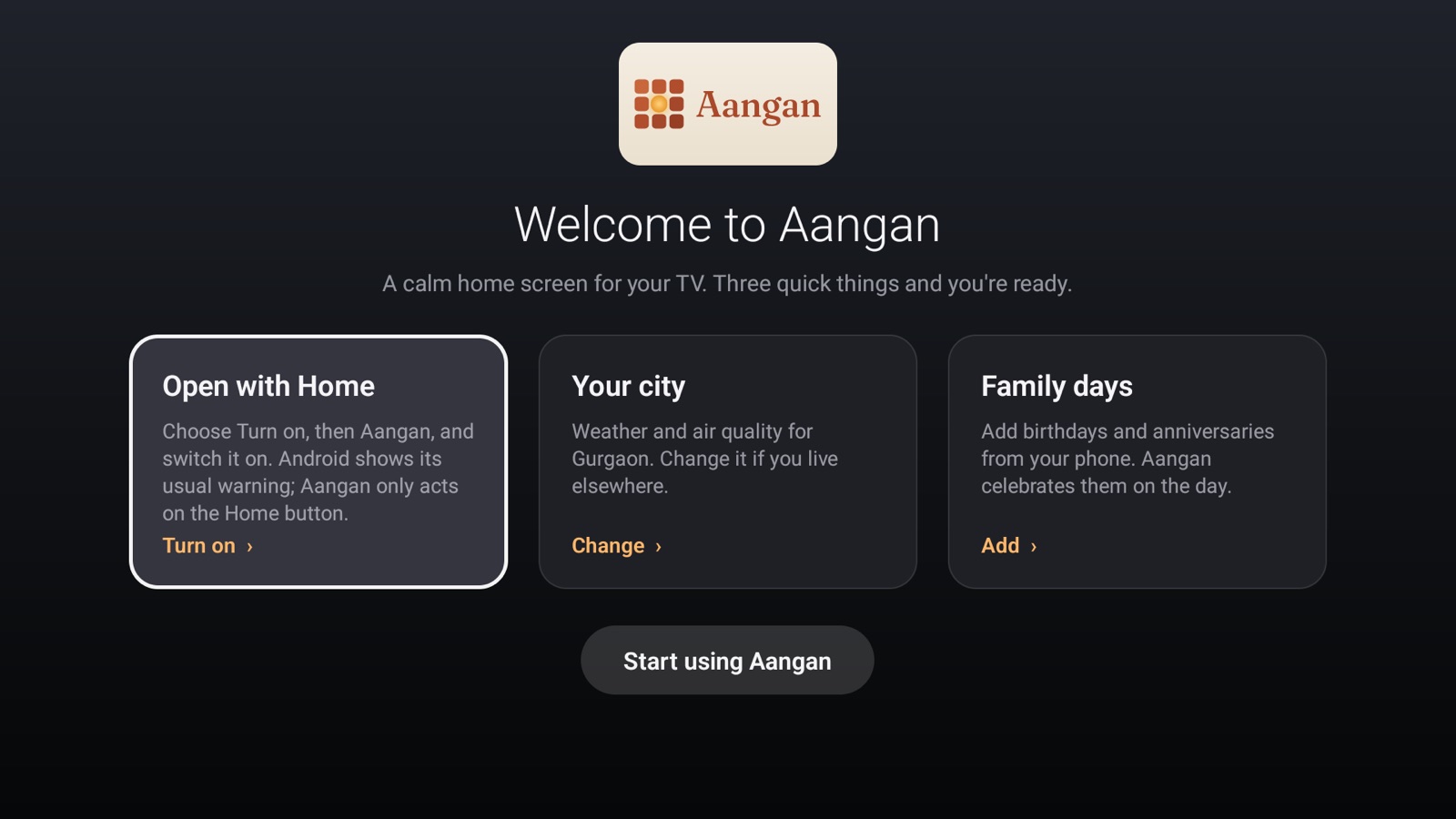
Open with Home
Most TVs offer no way to choose a different home screen. Aangan gets round this with a small accessibility service that reacts to the Home button and to the TV starting up. Choose Turn on, then Aangan, and switch it on.
- Android shows its standard warning for accessibility services. Aangan uses the service only to react to the Home button; every other button passes straight through, and it can't see other apps or anything on screen. The privacy policy explains exactly what it does.
- On Android 13 and later, if Aangan is greyed out in that list, open Settings → Apps → Aangan, choose Allow restricted settings, and try again.
Your city
Weather and air quality default to Gurgaon. Search for your own city if you live elsewhere.
Family days
Add birthdays and anniversaries. The easiest way is from your phone: open Settings on the TV and scan the code.
Google Play
Aangan is being prepared for the Google Play Store, which will make it searchable on the TV and update it automatically. Until then, use Downloader. Copies installed either way are signed with the same key, so a Play update will install over a Downloader install without losing your settings.
With a computer
If you already use adb, you can install directly and make Aangan the TV's true default home screen, which doesn't need the accessibility service at all:
adb install aangan.apk
adb shell cmd package set-home-activity dev.vaari.aangan/.HomeActivity
Not every TV accepts set-home-activity; where it doesn't, use Open with Home instead.
Updating
Enter the same address in Downloader again and choose Install. The new version installs over the old one and keeps your city, apps and dates. See what changed in the changelog.
Going back to the stock home screen
Aangan doesn't change or disable anything on your TV. To go back:
- Open Settings → Apps on the TV, find Aangan and choose Uninstall.
- Press Home. The TV's own home screen returns, exactly as it was.
Uninstalling removes everything Aangan stored, including your family's dates; there's no copy anywhere else.
Samsung, LG, Roku and Fire TV
Aangan needs Android TV or Google TV. Samsung's TVs run Tizen, LG's run webOS, and Roku runs its own system. None of them can run Android apps, and none lets any app replace the home screen or answer the Home button; the home screen is part of the TV's software. Fire TV runs on Android, but Amazon has blocked other home screens since 2022. The FAQ explains why in more detail.
You can still have Aangan on one of these TVs:
- Plug in a Google TV or Android TV streamer, such as Google TV Streamer, Chromecast with Google TV, Xiaomi TV Box or Nvidia Shield.
- Install Aangan on the streamer as above, and turn on Open with Home.
- In the TV's settings, turn on HDMI-CEC (Anynet+ on Samsung, SIMPLINK on LG), so the TV's remote works the streamer and switches to it.
Checking the download
Every release is built from the public source and signed with the same key. Its certificate's SHA-256 fingerprint is:
7F:90:5B:6D:3C:FB:CC:92:CD:2D:A7:20:3C:5B:6C:F3:65:B6:5D:67:CB:3D:16:2A:4C:54:D4:04:3C:AA:14:84
Check it with apksigner verify --print-certs aangan.apk. Android also refuses any update signed with a different key.