Aangan

A launcher for Android TV and Google TV

The home screen your TV should have come with.

Aangan replaces the stock home screen, with its rows of ads and recommendations, with your apps, the sky outside and the days your family celebrates. Nothing to sign in to, nothing watching you, and nothing to pay.

Install Aangan Read the source Free · MIT licence · 152 KB
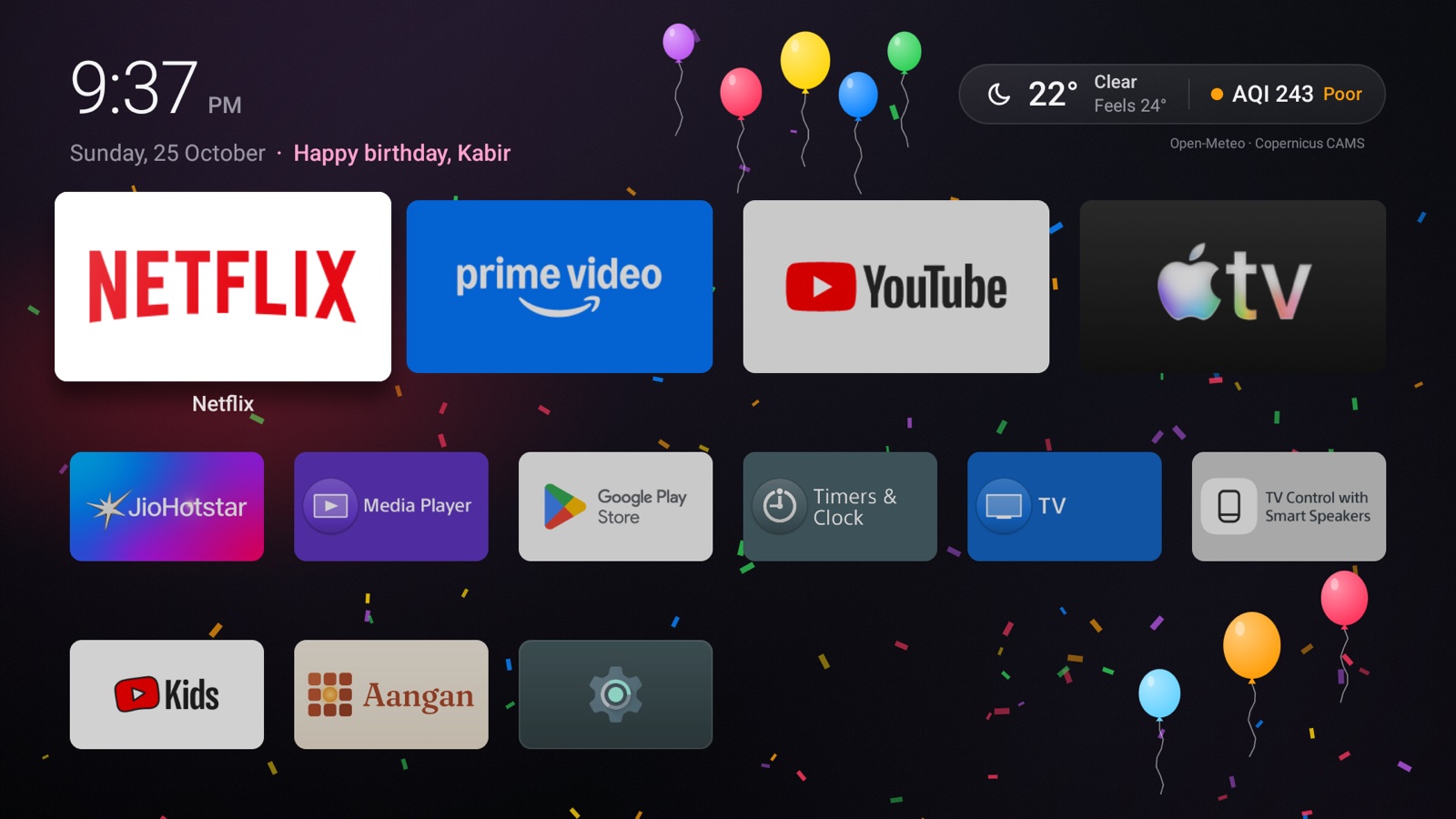
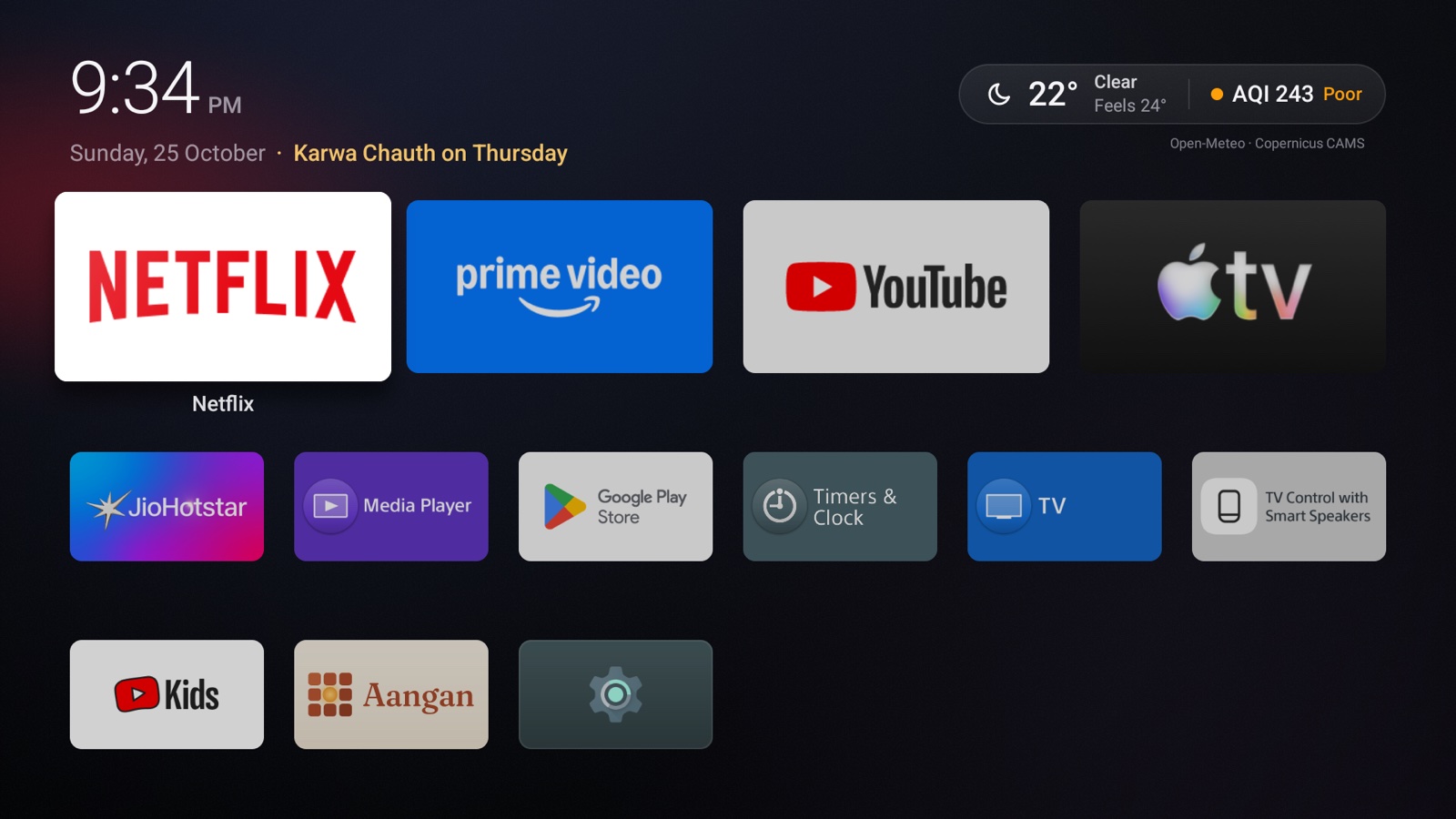
Aangan's home screen: the time, the weather and air quality, a festival countdown, and a grid of apps

What it stands for

Four promises, kept in the code.

Aangan is small enough to read in an afternoon, so none of this has to be taken on trust.

O

Open

Every line is on GitHub under the MIT licence: about 6,700 lines of plain Java, no libraries, and a build script you can read top to bottom. Fork it, audit it, change it.

P

Private

No ads, analytics, crash reports or account. No location permission. Your family's birthdays never leave the TV. The only outside service is a weather forecast for your city.

M

Minimal

One small app that does one job. On an ordinary day nothing on screen moves, so it uses no processor time while you watch. It checks the weather only while you're looking at it.

C

Yours to arrange

Choose the four apps in the dock, and hide the ones you never open. Choose your city. Add the family's days, and move or hide any festival. Do it with the remote, or from your phone by scanning a code.

Your apps

Your apps, and nothing else.

A dock of four favourites, large across the top, and every other app in a tidy grid below. No sponsored rows, no "continue watching" from services you didn't open, no autoplaying trailers.

  • You choose the dock, and it stays put: Aangan never rearranges it by what you watch.
  • Hold OK on any app to put it in the dock or hide it.
  • The focused app grows a little and casts a soft light in its own colour.
  • Opens instantly with the Home button, and when the TV turns on.
The dock of four large apps, Netflix in focus, above the grid of other apps

The sky outside

Weather and air you can act on.

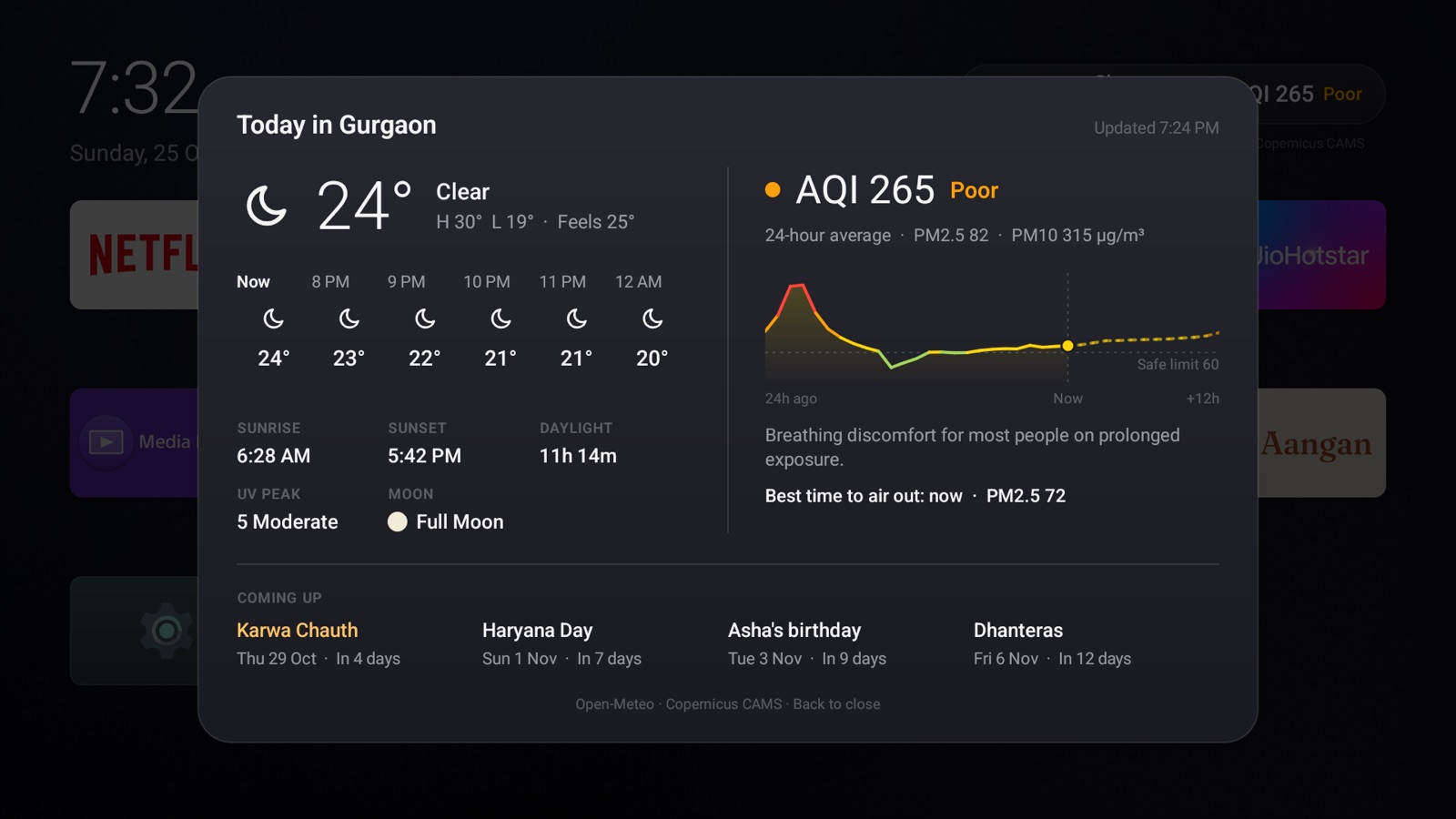
The time, the temperature and the air quality sit quietly in the corner. Press ▲ then OK for the whole day.

  • Your city from a list of large ones, or a few letters typed. Older names like Bombay or Gurgaon work too.
  • The next hours, the high and low, sunrise, sunset, UV and the moon.
  • A 36-hour PM2.5 trend against your country's safe limit, on India's CPCB scale in India and the US EPA scale elsewhere.
  • The best time today to open the windows and air out the house.
The Today card: hourly forecast, sunrise and sunset, UV, moon phase, a PM2.5 chart and what's coming up

The days that matter

Festivals and family days, drawn by hand.

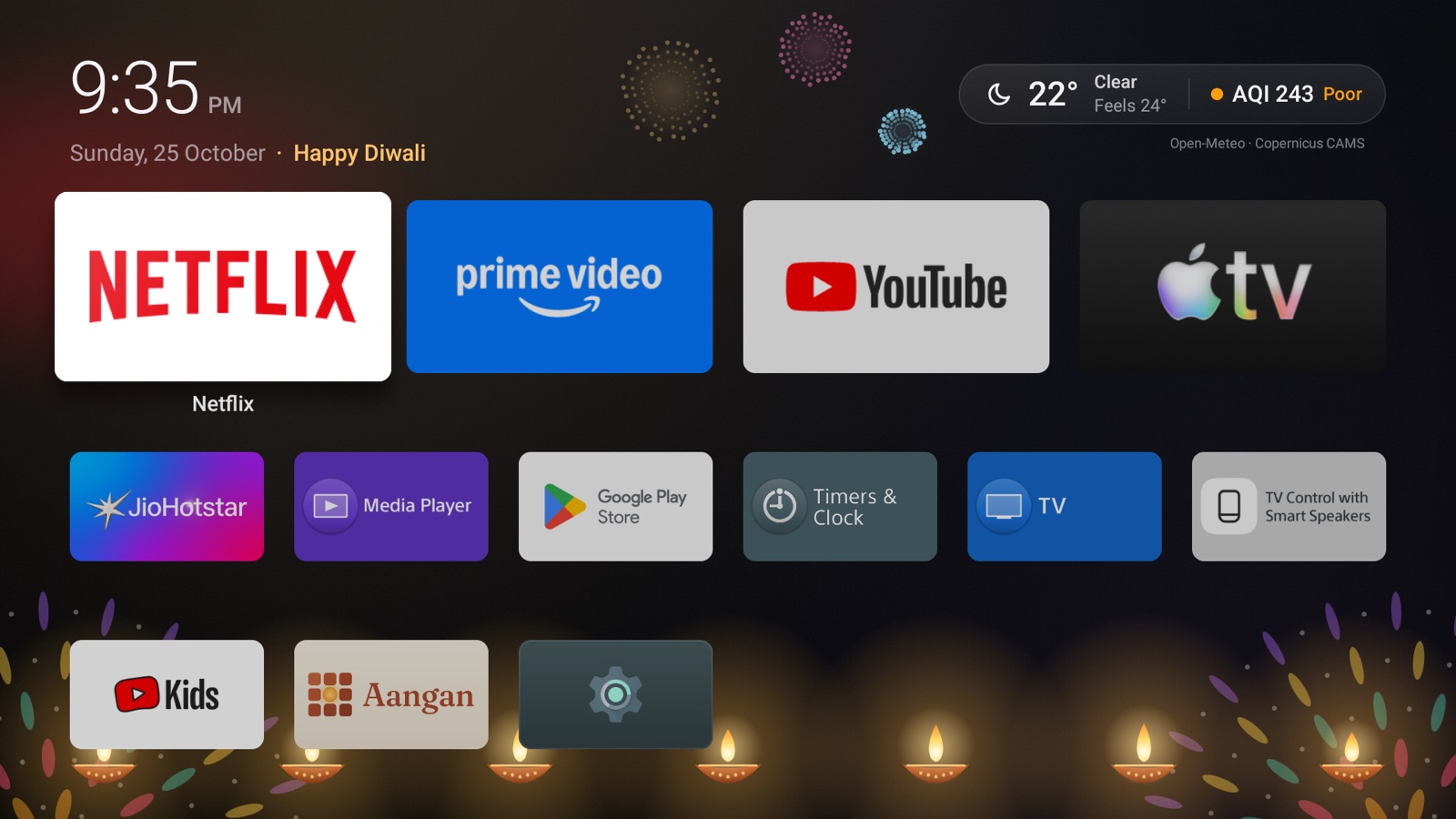
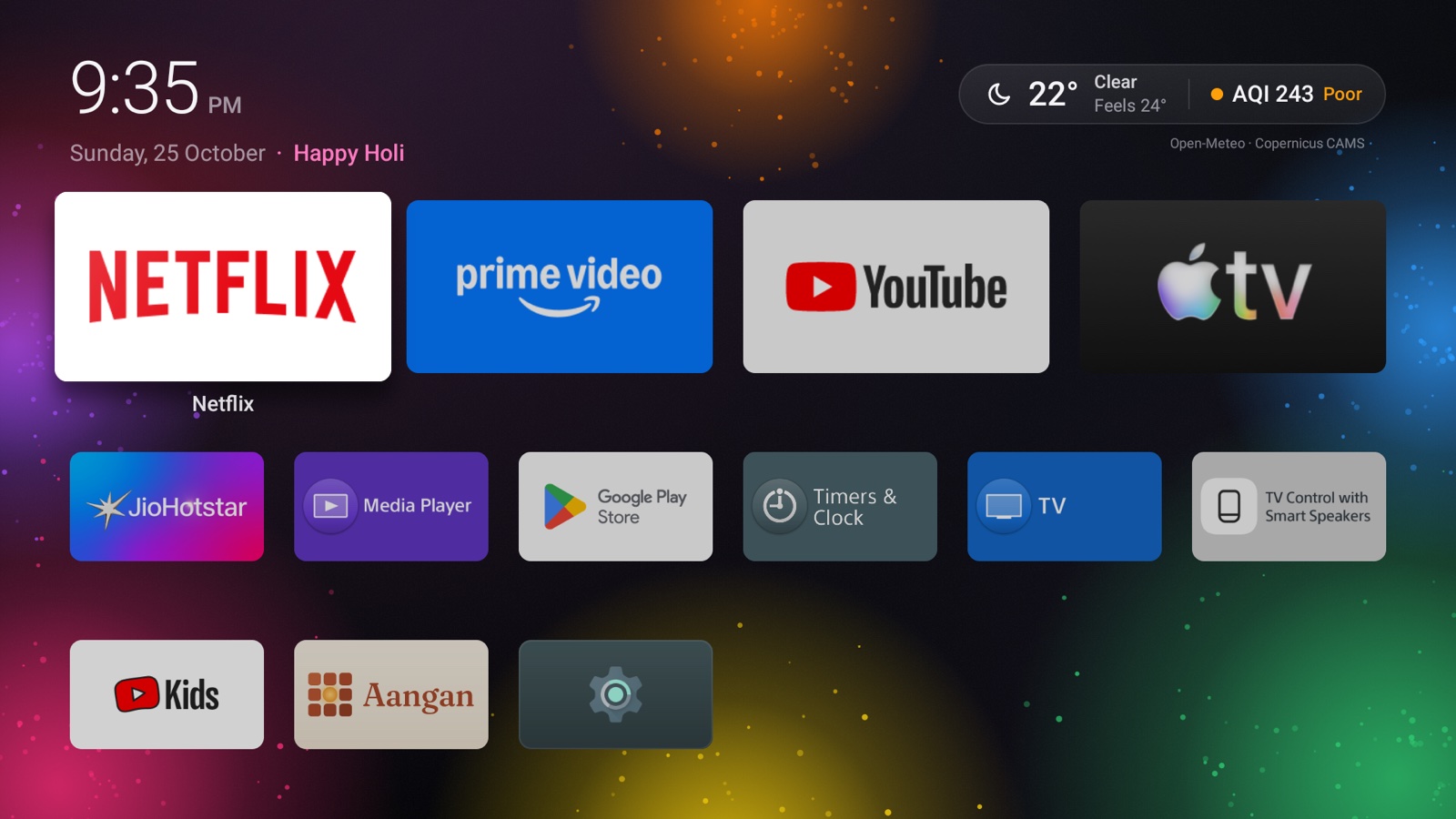
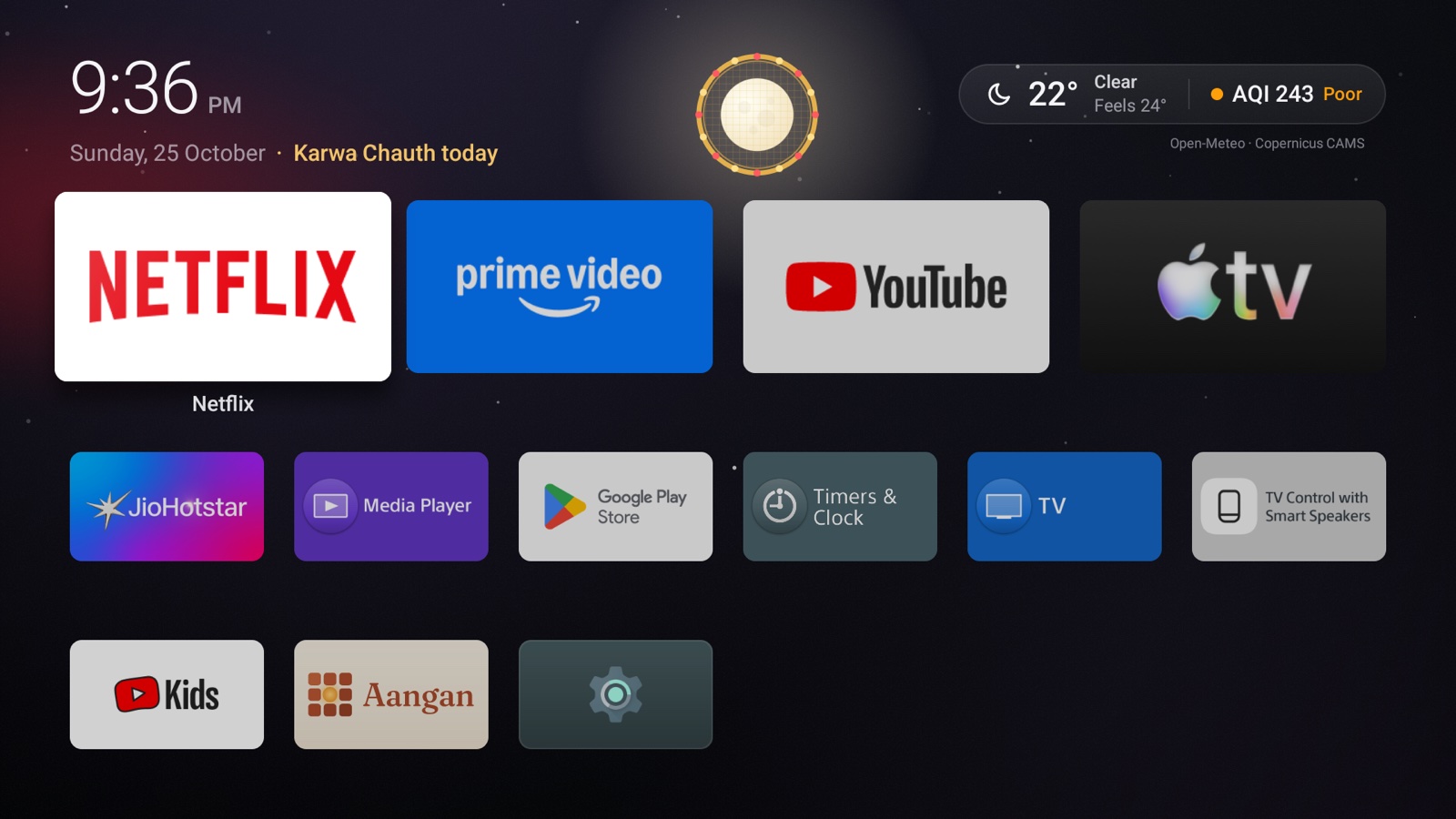
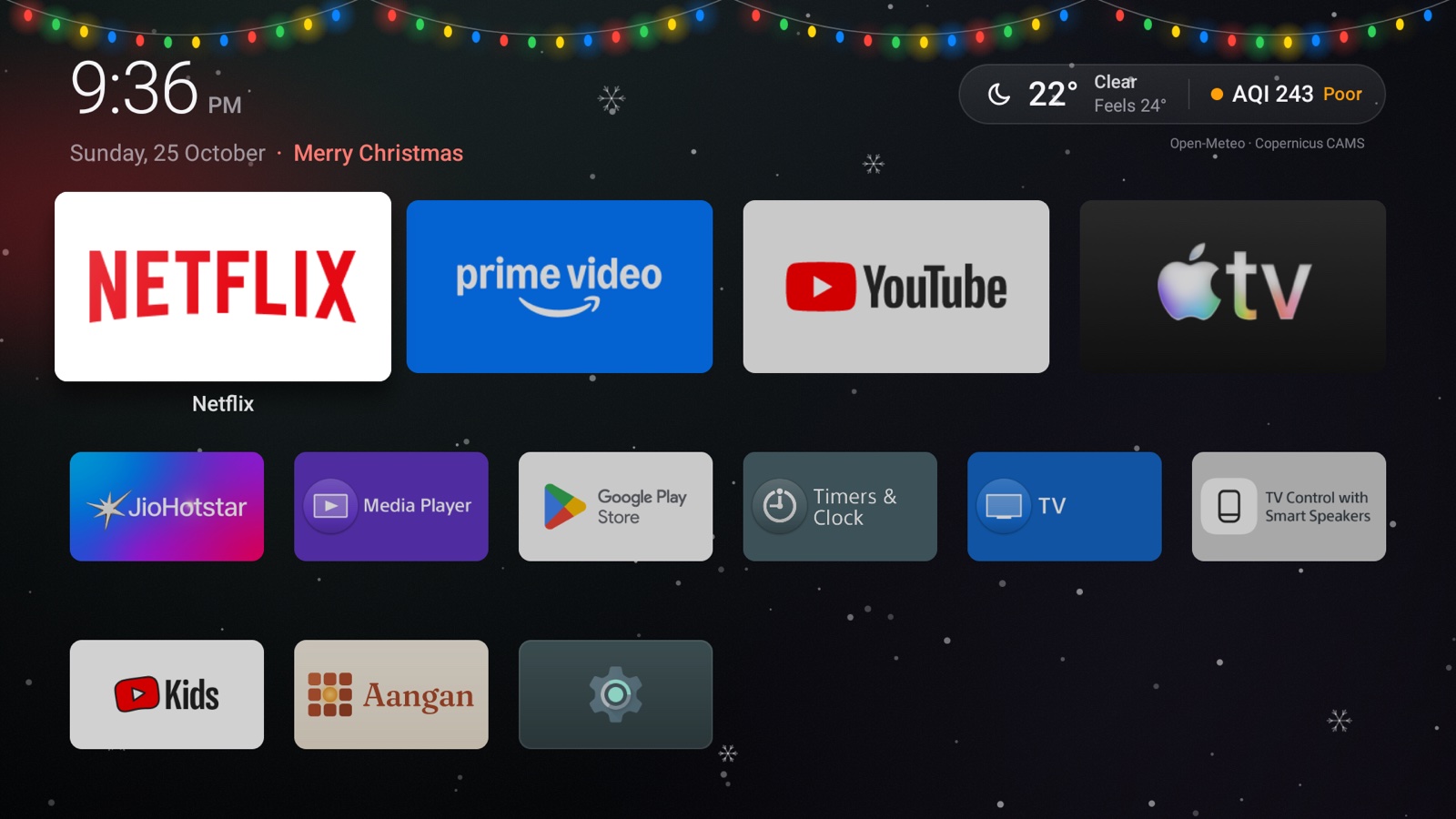
A countdown to the next festival rides along the date. On the day itself, a scene plays out behind your apps: diyas lighting one by one for Diwali, the moon through a chalni for Karwa Chauth, balloons with a greeting by name on a birthday.

  • Nineteen scenes, from Lohri's bonfire to Eid's lanterns to Christmas snow. See the calendar.
  • Every day of Diwali week and Navratri glows, not just the main day.
  • The scene moves only while the home screen is showing, then rests.
Diwali on the home screen: diyas, rangoli and fireworks behind the apps

Gallery

A year in the courtyard.

Private by design

Everything that leaves your TV, listed.

Most apps can't give you this list. Aangan's is short enough to fit on one screen, and the code that makes each request is linked from the privacy policy.

0ads, trackers, analytics or crash reporters
0accounts, sign-ins or cloud storage
~1 kmthe precision of the location sent for the forecast
2permissions, neither of which Android asks you about

The forecast

Your city's coordinates, rounded to two decimals, go to api.open-meteo.com and air-quality-api.open-meteo.com. At most every 30 and 60 minutes, and only while the home screen is on screen.

City search

When you type a city's name, the letters you typed go to geocoding-api.open-meteo.com, a moment after you stop typing. Nothing else is sent, and only while you search. Choosing from the list of large cities sends nothing.

Your phone

The setup page is served by the TV itself, on your Wi-Fi, only while Settings is open, at an address with a fresh secret. It loads nothing from the internet.

Set up from your phone

Typing with a remote is slow. So don't.

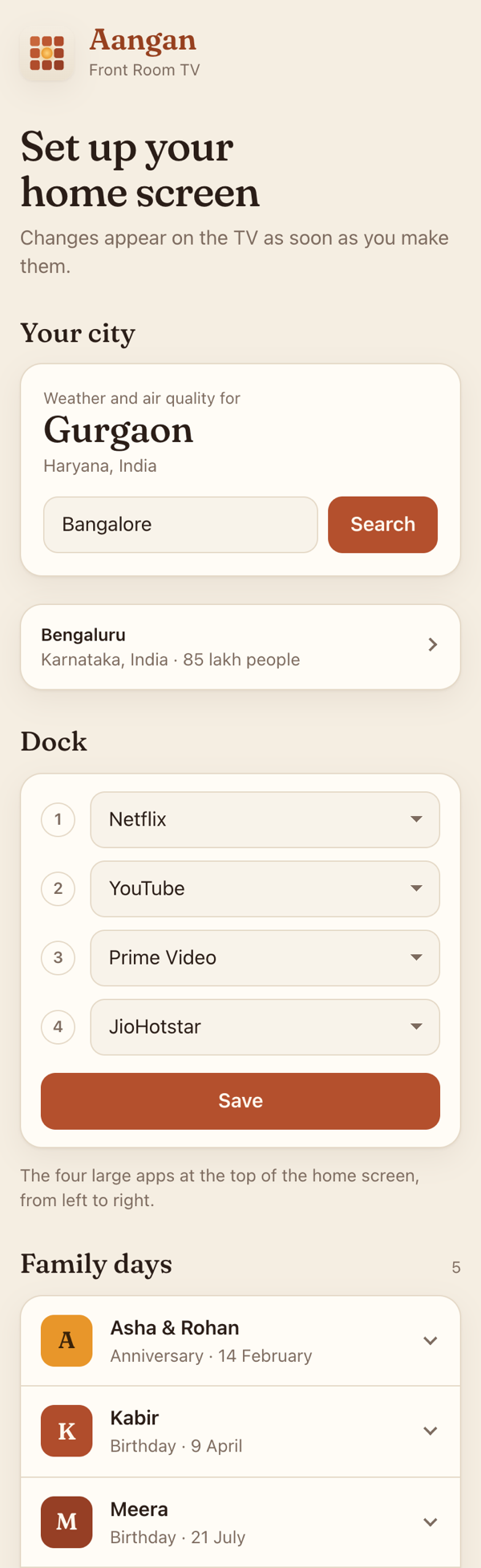
Open Settings on the TV and scan the code. Your phone's browser opens a page served by the TV itself, where you can choose the city, set the dock, add and edit birthdays and anniversaries, and move or hide festival dates. Changes appear on the TV as you make them.

  • No app to install, no account, no cloud in between.
  • The page and its font come from the TV, so nothing loads from the internet.
  • It stops the moment you leave Settings.
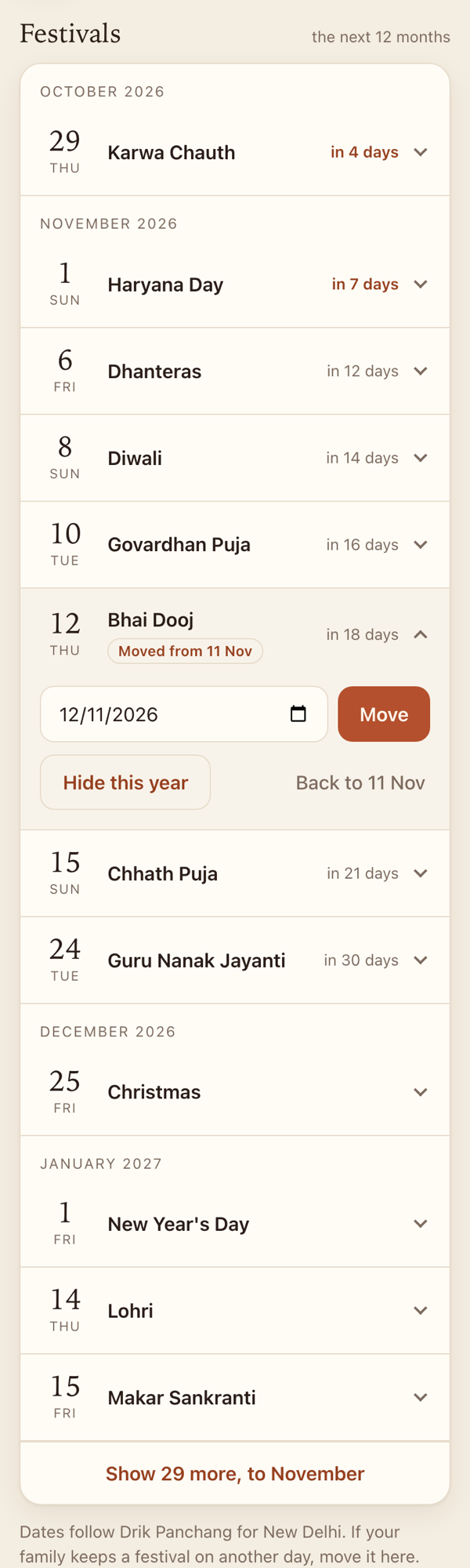
The phone page: city suggestions as you type, the dock's four choices, and the family's daysThe phone page: the festival list with Bhai Dooj moved by a day

Everything you can change

CityAny town in the world, or a large city in one press; Gurgaon until you choose.
The dockWhich four apps, and in what order.
Hidden appsHide any app; bring them all back from Settings.
Birthdays and anniversariesAdd, edit and remove, with names as you say them.
Festival datesMove a festival your family keeps on another day.
Festivals you skipHide one for the year; put it back any time.
Home buttonMake Aangan open with Home, without a computer.
ScreensaverA dim, drifting clock with the weather.
Everything elseIt's open source: change the code.

Get started

Five minutes, no computer needed.

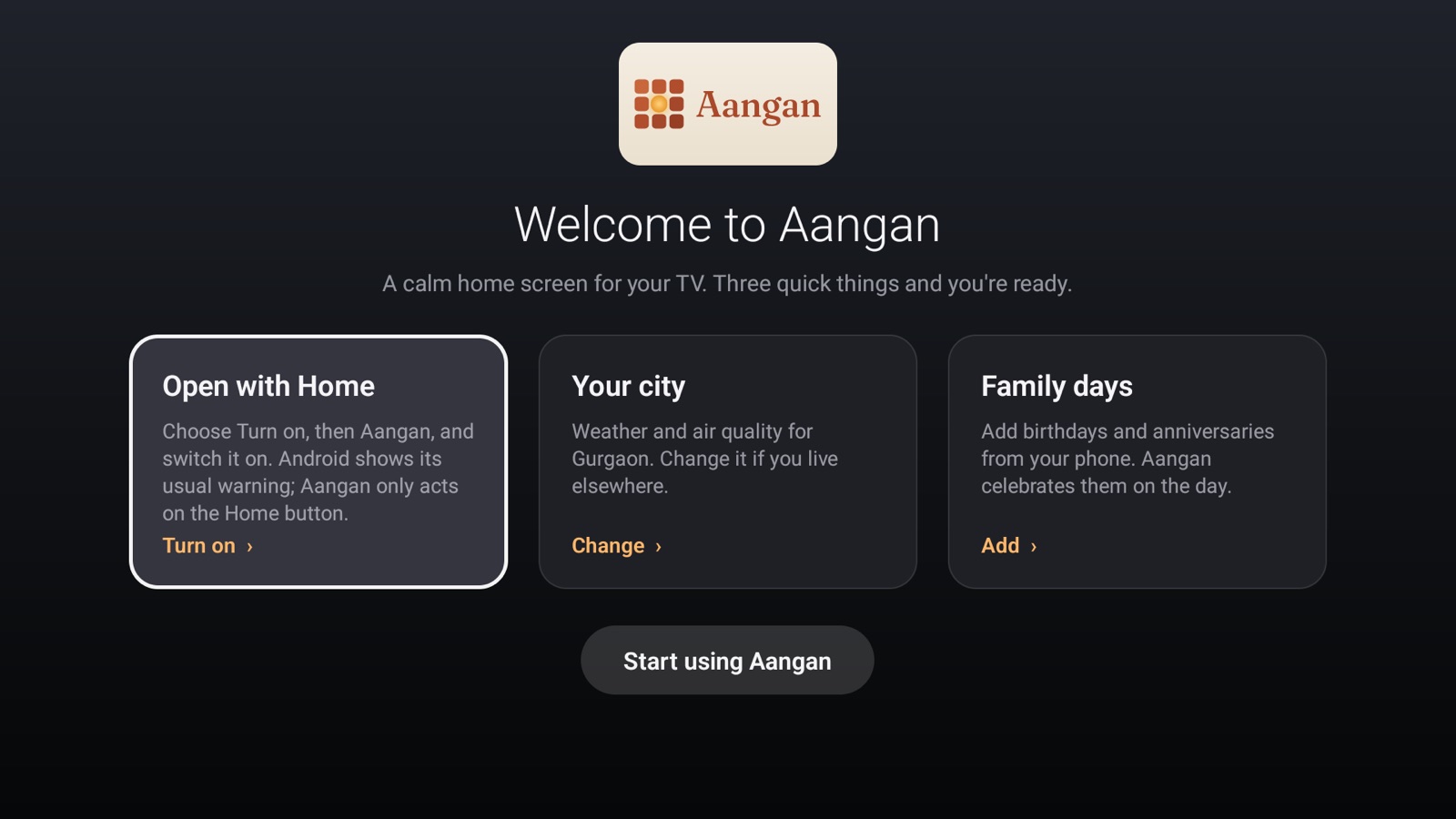
Install it with the free Downloader app, open it, and the welcome takes you through the rest. No developer mode, and nothing on your TV is removed. Uninstall Aangan and your TV is exactly as it was.